
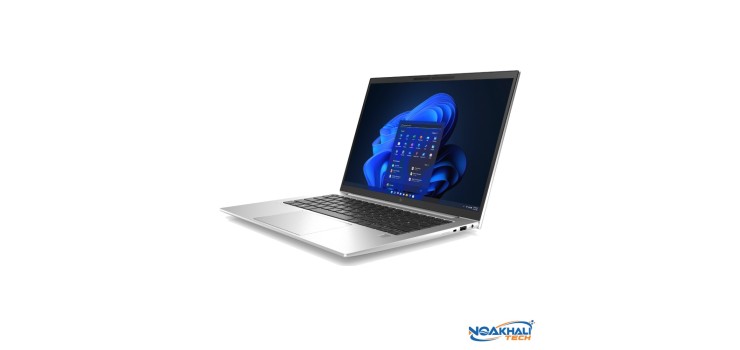
সংক্ষেপে: গ্রাফিক ডিজাইনের জন্য ল্যাপটপে কমপক্ষে 16GB RAM, SSD আর ভালো কালারের Full HD ডিসপ্লে দরকার। শেখার জন্য ৩৫,০০০ টাকার কাছাকাছি 16GB RAM-এর used business laptop যথেষ্ট, আর ক্লায়েন্টের কাজ করলে 100% sRGB ডিসপ্লে বা MacBook-এর Retina স্ক্রিন বেছে নিন।
Looking for the best laptop for graphic design in Bangladesh without spending 1.5 lakh Taka? Good news: for Photoshop, Illustrator, Canva and Figma work, you do not need a gaming laptop. You need enough RAM, a fast SSD, a decent processor and, most importantly, a screen that shows colours properly. In this guide we explain what matters, what does not, and which of our used business laptops fit each budget.
What a Graphic Design Laptop Really Needs
Most beginners in Bangladesh focus on the processor name. For 2D design work, the order of importance is a bit different:
- RAM: Photoshop and Illustrator love memory. Adobe lists 8GB as the minimum and recommends 16GB or more. With 8GB you can learn, but large files, many layers and a browser full of reference images will slow you down. 16GB is the comfortable target.
- Display: If the screen shows wrong colours, your client's logo will look different on their phone or in print. Look for a Full HD (1920x1080) or higher IPS panel with good colour coverage. Panels listed as "45% NTSC" look washed out and are not good for colour work. Panels listed as "100% sRGB" or "72% NTSC" show a much wider range of colours.
- Storage: Always an SSD. 256GB fills up fast with fonts, mockups and project files, so 512GB is better if you can afford it. You can also keep old projects on an external drive.
- Processor: A quad-core Intel Core i5 (8th Gen or newer) or a 6-core AMD Ryzen 5 handles 2D design well. Newer chips feel faster when exporting, using filters and working with big artboards.
- Graphics (GPU): Photoshop uses the GPU for some features. Modern integrated graphics (Intel Iris Xe, AMD Radeon) are fine for 2D design. Heavy 3D work, motion graphics and long 4K video edits benefit from a dedicated graphics card, which business laptops usually do not have.
Quick requirement table
| Part | Minimum (learning) | Recommended (client work) |
|---|---|---|
| RAM | 8GB | 16GB |
| Storage | 256GB SSD | 512GB SSD |
| Processor | Core i5 8th Gen / Ryzen 5 | Core i5 11th Gen or newer / Ryzen 5 5000 or newer |
| Display | 14 inch Full HD IPS | Full HD or higher, 100% sRGB or similar wide colour |
| Graphics | Integrated | Integrated is fine for 2D; dedicated GPU only for 3D/heavy video |
Best Laptop for Graphic Design in Bangladesh by Budget
All the laptops below are pre-owned business laptops from our used laptop collection. The offer price applies during our Used Laptop Offer, which runs until 15 Nov 2026.
| Laptop | Key specs | Display (as listed) | Offer price | Regular |
|---|---|---|---|---|
| HP EliteBook 845 G7 | Ryzen 5 Pro, 16GB, 256GB SSD | 14 inch FHD | 35,640 Tk | 36,340 Tk |
| Lenovo ThinkPad T14 | Core i5 10th Gen, 16GB, 256GB SSD | 14 inch | 35,300 Tk | 36,000 Tk |
| HP EliteBook 840 G8 | Core i5 11th Gen, 16GB, 512GB SSD | 14 inch Full HD | 50,220 Tk | 51,220 Tk |
| HP ProBook 445 G9 | Ryzen 7 5825U, 16GB DDR4, 512GB SSD | 14 inch WUXGA IPS, 400 nits, 100% sRGB | 51,840 Tk | 52,840 Tk |
| Microsoft Surface Laptop 4 | Core i5 11th Gen, 16GB, 512GB SSD | 13.5 inch 2256x1504 touch | 55,760 Tk | 56,760 Tk |
| HP EliteBook 845 G9 | Ryzen 7 Pro 6850U, 16GB DDR5, 512GB SSD | 14 inch WUXGA IPS, 400 nits, 100% sRGB | 59,890 Tk | 60,890 Tk |
| Apple MacBook Air M1 | M1, 8GB unified memory, 256GB SSD | 13.3 inch Retina 2560x1600 | 62,500 Tk | 63,500 Tk |
Prices as of October 2026 — stock and prices change, please call or WhatsApp to confirm.
Budget 1: Learning design (around 35,000 Tk)
If you are just starting Photoshop, Illustrator or Canva, put your money into RAM first. Two good options here already have 16GB:
- HP EliteBook 845 G7 (Ryzen 5 Pro, 16GB, 256GB SSD) — 35,640 Tk (regular 36,340 Tk). A 6-core Ryzen with 16GB RAM at this price is strong value for layer-heavy files.
- Lenovo ThinkPad T14 (Core i5 10th Gen, 16GB, 256GB SSD) — 35,300 Tk (regular 36,000 Tk). Comes with 15 days replacement warranty, and has the famous ThinkPad keyboard.
These screens are fine for learning, but they are standard business panels. For colour-critical client work, connect an external IPS monitor at your desk or move up to the next tier.
Budget 2: Freelancing and daily client work (40,000–50,000 Tk)
Here you get newer processors, 512GB SSDs and warranty options:
- HP EliteBook 840 G8 (Core i5 11th Gen, 16GB, 512GB SSD) — 50,220 Tk (regular 51,220 Tk). 11th Gen with Iris Xe graphics, Full HD screen, 15 days replacement warranty. A safe, balanced pick.
- HP ProBook 445 G9 (Ryzen 7 5825U, 16GB DDR4, 512GB SSD) — 51,840 Tk (regular 52,840 Tk). An 8-core Ryzen 7, and our product page lists a 400-nit, 100% sRGB WUXGA IPS panel. For a designer, that screen is the main reason to choose it.
Budget 3: Colour-focused work (55,000 Tk and up)
- HP EliteBook 845 G9 (Ryzen 7 Pro 6850U, 16GB DDR5, 512GB SSD) — 59,890 Tk (regular 60,890 Tk). Our strongest Windows pick for design: an 8-core Ryzen 7 Pro with Radeon 680M integrated graphics, which is noticeably stronger than older integrated graphics, plus a listed 400-nit, 100% sRGB screen.
- Microsoft Surface Laptop 4 (Core i5 11th Gen, 16GB, 512GB SSD) — 55,760 Tk (regular 56,760 Tk). A sharp 3:2 PixelSense touch display, which gives more vertical space for artboards. Note that its RAM is not upgradeable, so 16GB is a good amount to start with.
- Apple MacBook Air M1 (8GB, 256GB SSD) — 62,500 Tk (regular 63,500 Tk), Grade A. The Retina screen is excellent for design and the M1 runs Photoshop and Illustrator smoothly for typical 2D work. The catch: 8GB unified memory and 256GB storage cannot be upgraded later, so plan to keep projects in the cloud or on an external drive.
If you want to see these side by side, try our Laptop Finder and pick "budget" and "use" to filter quickly.
Windows or MacBook for Graphic Design?
Both work well. Adobe Photoshop, Illustrator, Canva (web) and Figma (web or app) run on Windows and macOS. Choose based on these points:
- MacBook: great screen out of the box, quiet, good battery when the battery health is good. But RAM and SSD are fixed forever, and repairs cost more.
- Windows business laptop: more RAM and storage for the money, and many models let you upgrade RAM and SSD later. Screen quality varies a lot by model, so check the panel spec.
- Software you already use: CorelDRAW is still popular with print shops in Bangladesh and is mainly used on Windows. If your clients or office use CorelDRAW files, Windows is the easier choice.
Can I Use an 8GB Laptop for Design?
Yes, for learning and light work. If you already own an 8GB laptop, or you buy a cheaper 8GB model, check whether it has a free RAM slot. Many business laptops (for example the EliteBook 840 series and ThinkPad T480) can be upgraded to 16GB, while slim models like the ThinkPad T14s and Surface have soldered RAM. Read our 8GB vs 16GB RAM upgrade guide before you buy RAM, so you get the right type.
Tips to Get Better Colours on Any Laptop
- Use an external IPS monitor at home. A good IPS monitor is often a cheaper way to get a big, clear workspace than buying an expensive laptop.
- Check your design on a phone too. Most social media designs will be seen on phones, so preview them there before sending to a client.
- For print work, ask for a test print. Screen colours (RGB) and printed colours (CMYK) never match exactly.
- Keep the laptop cool. Long exports heat up thin laptops; a cooling pad and a clean fan help keep performance steady.
Which One Should You Buy?
- Student learning Photoshop/Illustrator/Canva: EliteBook 845 G7 or ThinkPad T14 with 16GB RAM, around 35,000 Tk.
- Freelancer doing social media posts, logos and banners: EliteBook 840 G8 16GB/512GB for a balanced pick with warranty, or ProBook 445 G9 for the better listed screen.
- Serious colour work on Windows: EliteBook 845 G9 with its listed 100% sRGB display.
- Prefer macOS and a top screen: MacBook Air M1, if 8GB/256GB is enough for your workflow.
- 3D, heavy motion graphics or long 4K video: a business laptop is not the right tool. Call us and we will suggest a desktop setup with a dedicated graphics card instead.
Used laptop panels can differ from the original factory option, so before you order, ask us to confirm the exact screen on the unit you are buying.
Learn Graphic Design with Noakhali Tech
Bought the laptop? Now build the skill. Our online Graphic Design with Photoshop, Illustrator & Canva course (3 months, 5,000 Tk) covers logos, social media posts, banners and a client portfolio. If you prefer classroom learning, the offline Diploma in Graphics Design (4 months, 6,000 Tk) teaches Photoshop and Illustrator with real client-style projects.
FAQs
Q: Graphic design er jonno koto GB RAM lagbe?
A: 8GB is enough to learn, but 16GB is the comfortable amount for Photoshop and Illustrator with many layers and other apps open. Adobe itself recommends 16GB or more.
Q: Do I need a graphics card for graphic design?
A: Not for 2D work like logos, social posts and banners. Modern integrated graphics such as Intel Iris Xe or AMD Radeon are fine. A dedicated GPU matters for 3D, heavy motion graphics and long video edits.
Q: What is the best laptop for graphic design price in BD under 40000?
A: From our stock, the HP EliteBook 845 G7 (Ryzen 5 Pro, 16GB) at 35,640 Tk and the ThinkPad T14 (Core i5 10th Gen, 16GB) at 35,300 Tk are good picks, both with 16GB RAM.
Q: Is a used MacBook good for graphic design?
A: Yes. The MacBook Air M1 has an excellent Retina screen and runs Adobe apps well for 2D design. Just remember that its 8GB memory and 256GB SSD cannot be upgraded later.
Q: Which display is best for graphic design, 45% NTSC or 100% sRGB?
A: 100% sRGB. A 45% NTSC panel shows a narrow range of colours and looks washed out, so it is not good for colour-accurate work.
Order Your Design Laptop Today
Order online with Cash on Delivery all over Bangladesh. You can also visit our head office in Agargaon, Dhaka or our Sonapur, Noakhali branch to see the screens yourself. Not sure which one fits your work? Call or WhatsApp us at +880 1775-682829.
Comments
No comments yet — share your thoughts below.