
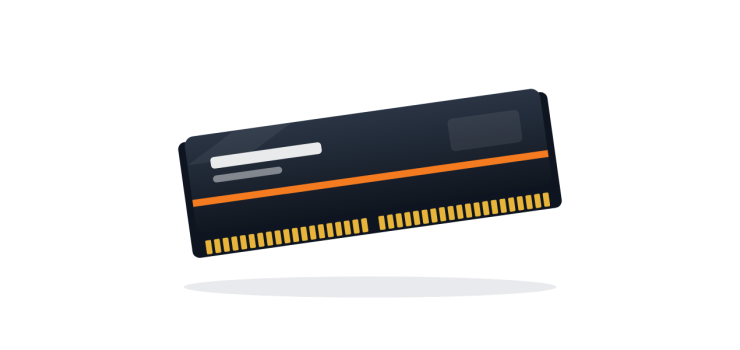
If your laptop slows down when you open many Chrome tabs, freezes during Zoom or Google Meet, or struggles with Photoshop, you may be running out of RAM. Upgrading RAM is one of the cheapest and simplest ways to make a laptop feel smoother, as long as you buy the right type.
This guide explains how much RAM you need, how to check compatibility and what to watch out for before you buy.
What Does RAM Do?
RAM is your laptop's short-term working memory. Every open app, browser tab and file uses some of it. When RAM is full, Windows starts using the much slower storage drive as extra memory, and the laptop becomes sluggish.
Note: RAM and storage are different. If your laptop is slow to boot and open apps, the bigger problem may be an old hard disk. In that case, see our SSD range first, or upgrade both.
8GB vs 16GB: How Much RAM Do You Need?
| RAM | Good For |
|---|---|
| 4GB | Very basic use only. Windows 10/11 feels slow with modern browsers. |
| 8GB | Students, office work, online classes, browsing, light freelancing. The practical minimum in 2026. |
| 16GB | Heavy multitasking, graphic design, programming, light video editing, many browser tabs. |
| 32GB | Video editing, virtual machines, large datasets and professional workloads. |
For most freelancers and professionals, 16GB gives comfortable headroom. For a student doing study and online classes, 8GB is generally fine.
How to Check What RAM Your Laptop Uses
1. Check Current RAM in Windows
Open Task Manager (Ctrl + Shift + Esc), go to Performance, then Memory. You will see total RAM, speed (for example 2400 or 2666 MHz), form factor and "Slots used" (for example 1 of 2).
2. Find Your Exact Laptop Model
Check the sticker under the laptop, or run msinfo32 and look at "System Model". Then check the manufacturer's specifications for:
- RAM type (most business laptops from roughly 2016 to 2021 use DDR4)
- Form factor (laptops use SO-DIMM, which is shorter than desktop RAM)
- Number of slots
- Maximum supported RAM
3. Check for Soldered RAM
Some laptops have part or all of their RAM soldered to the motherboard. For example, some ThinkPad T-series models have soldered memory plus one free slot, so you can add one module but not replace the soldered part. The MacBook Air M1 uses unified memory that cannot be upgraded at all, so choose the right RAM when you buy it.
DDR4 SO-DIMM: What to Match
- Type: DDR4 and DDR3 are not interchangeable. The notch is in a different place.
- Form factor: SO-DIMM for laptops, not desktop DIMM.
- Speed: Faster RAM usually works but runs at the speed your laptop supports. Matching the existing speed is the safest choice.
- Capacity: Do not exceed the maximum your laptop supports.
Single Channel vs Dual Channel
If your laptop has two slots, using two matching modules (for example 2 x 8GB instead of 1 x 16GB) enables dual channel mode. This can improve performance, especially for integrated graphics such as Intel Iris Xe on 11th Gen laptops. If you already have one 8GB stick, adding another 8GB of the same type and speed is often the best value upgrade to 16GB.
Popular Business Laptops and RAM Upgrades
Many refurbished business laptops are easy to upgrade. Models like the HP EliteBook 840 series and many Dell Latitude 5000 and 7000 series laptops have two SO-DIMM slots. Always confirm your exact model, as configurations vary. Browse upgrade-friendly models in our Refurbished HP, Dell and Lenovo ThinkPad sections.
How to Install Laptop RAM Safely
- Shut down the laptop completely and unplug the charger.
- If possible, disconnect the internal battery as described in the service manual.
- Remove the bottom panel screws and gently open the panel.
- Touch a metal surface to discharge static.
- Insert the module at an angle into the slot, then press down until the clips lock.
- Close the panel, power on and check Task Manager to confirm the new total.
If you are not comfortable opening the laptop, our technicians can do it for you. Book a laptop servicing request.
FAQs
Q: Can I mix an 8GB and a 4GB RAM stick?
A: It often works, but performance is best with matching modules. If you are buying new, 2 x 8GB or a single matching module is a better plan.
Q: Will more RAM make my laptop faster?
A: It helps when your current RAM is full. If your laptop is slow mainly at boot and when opening apps, an SSD upgrade usually helps more.
Q: Can I use desktop RAM in a laptop?
A: No. Laptops use SO-DIMM modules, which are smaller than desktop DIMM modules.
Q: Can I upgrade MacBook Air M1 RAM?
A: No. The M1 MacBook Air's memory is built into the chip package and cannot be upgraded later.
Upgrade Your Laptop RAM
Order laptop RAM online with Cash on Delivery anywhere in Bangladesh, or visit our Agargaon, Dhaka office or Sonapur, Noakhali branch for installation. Not sure which module fits? Contact us or call/WhatsApp with your laptop model.
Comments
No comments yet — share your thoughts below.