
Load-shedding and sudden power cuts are a part of life in many parts of Bangladesh. For a desktop PC, a sudden shutdown can mean lost work, corrupted files and stress on the hardware. For a router, it means no internet exactly when you need it.
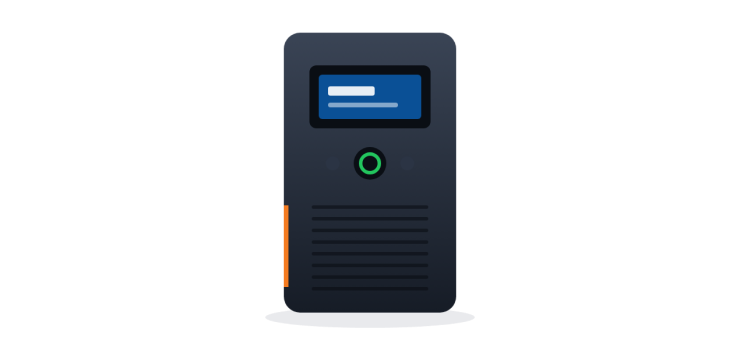
A UPS (Uninterruptible Power Supply) gives you backup power for a short time so you can keep working, save files and shut down safely. But which UPS do you actually need? This guide explains it in plain language.
What a UPS Does (and Does Not Do)
- It switches to battery power when electricity goes off, so your PC does not shut down suddenly.
- It gives you time to save work and shut down properly.
- Many UPS models also help protect against voltage fluctuations.
A typical small UPS is not an IPS. It is designed for minutes of backup, not hours. If you need fans and lights to run for a long time, you need an IPS or a larger battery system.
VA vs Watt: The Most Confusing Part
UPS capacity is usually written in VA (volt-amperes), but your devices use power in watts (W). The watt capacity of a UPS is lower than its VA number. Many small line-interactive UPS units are rated at roughly 0.6 times their VA value in watts, but this varies, so always check the watt rating on the specification sheet.
Example: a 650VA UPS might be rated around 360 to 390W. Your total connected load should stay comfortably below the watt rating. A good rule is to keep the load at 60 to 70% of the UPS's watt capacity, which also gives a bit more backup time.
How to Estimate Your Load
- Check the power supply wattage or typical usage of your PC. An office PC uses far less than its PSU's maximum rating; a gaming PC with a graphics card uses much more.
- Add the monitor (check its label or manual).
- Add any router, ONU or speakers you want on the UPS.
- Choose a UPS whose watt rating gives you headroom above that total.
Offline (Line-Interactive) vs Online UPS
Offline / Line-Interactive UPS
Most home and office UPS units are this type. They pass mains power through normally and switch to battery when power fails. The switch takes a very short time, which is fine for normal PCs. They are affordable and widely available.
Online (Double-Conversion) UPS
An online UPS powers the load from its inverter all the time, so there is no switchover when power fails and the output is clean and stable. This is used for servers, network equipment, medical or lab devices and offices where power quality is critical. It costs much more.
| Feature | Offline / Line-Interactive | Online |
|---|---|---|
| Switchover | Very short transfer time | No transfer, always on inverter |
| Power quality | Good for normal PCs | Clean, stable output |
| Price | Affordable | Much higher |
| Best for | Home PC, office PC, small setups | Servers, critical equipment |
UPS Options and Prices (October 2026)
These are Noakhali Tech's current prices. Prices change, so please call to confirm.
| Model | Type | Good For | Price (Tk) |
|---|---|---|---|
| Digital X 650VA | Offline / line-interactive | Basic office or home PC with one monitor | 3,500 |
| MaxGreen 850VA | Offline / line-interactive | Office PC with a bit more headroom, PC + router | 5,150 |
| Apollo 1200VA | Offline / line-interactive | More powerful PCs, small multi-device setups | 7,300 |
| Santak C1K (1kVA) | Online | Servers, network racks, critical equipment | 34,000 |
Browse all options in our UPS and Power section.
Which UPS for Which Use?
- Office or study PC with one monitor: 650VA is usually enough to save work and shut down.
- PC plus router and ONU, or you want more headroom: 850VA.
- Stronger desktop, or two PCs in a small office: 1200VA. Check the combined watt load first.
- Gaming PC with a powerful graphics card: Calculate the load carefully; you may need a larger UPS than you think.
- Server, NVR, or network rack that must never blink: An online UPS like the Santak C1K.
What About the Router?
A router and ONU use very little power. You can plug them into your PC's UPS, but then the UPS may beep and run for a long time with a tiny load. A good router plus backup power is the simplest way to stay online. CCTV recorders also benefit from a UPS; see our CCTV range.
UPS Care Tips
- Do not plug laser printers, room heaters or irons into a small UPS.
- Keep the UPS in a ventilated place, off the floor if your area floods.
- UPS batteries wear out over time. If backup time becomes very short, the battery may need replacing.
FAQs
Q: How long will a 650VA UPS run my PC?
A: Backup time depends on your load and battery condition. For a normal office PC it is typically a few minutes to around ten or more, enough to save work and shut down. It is not meant for hours of use.
Q: Can I use a UPS for my laptop?
A: A laptop already has a battery, so a UPS is usually not needed for it. A UPS is more useful for the router so your internet stays on.
Q: Is an online UPS necessary for a home PC?
A: No. A line-interactive UPS is enough for home and normal office PCs. Online UPS is for servers and critical equipment.
Q: What is the difference between a UPS and an IPS?
A: A UPS gives short backup with fast switching for computers. An IPS is designed for longer backup for lights and fans.
Order Your UPS
Order a UPS online with Cash on Delivery anywhere in Bangladesh. Or visit our Agargaon, Dhaka office or Sonapur, Noakhali branch. Not sure what capacity you need? Contact us or call/WhatsApp with your PC details.
Comments
No comments yet — share your thoughts below.